

Recruitment CRM integration means making your ATS, CRM, and back-office systems share a single source of truth instead of three disconnected databases. For most agencies, the winning setup keeps the ATS as the system of record and layers native connectors or controlled API/iPaaS syncs on top, rather than forcing one platform to do everything. Start by auditing one high-friction data flow, usually placements-to-invoicing, and fix that before touching anything else.
TL;DR:
- Most agencies benefit from integrating ATS, CRM, and back-office systems to reduce manual data entry and improve billing accuracy, especially for placement and invoice data.
- Choosing the right integration method depends on volume; native connectors and iPaaS tools suit smaller setups, while custom APIs work better for high-volume, complex environments.
- Prioritize connecting ATS and back-office systems first, focusing on real-time data flow for placements, start dates, and invoicing to maximize cash flow and compliance benefits.
- Regular monitoring, clear data ownership, and version-controlled mappings are critical to maintaining data integrity and avoiding issues like duplicate records and schema drift.
- For agencies scaling quickly, hybrid stacks with disciplined connectors offer flexibility, but anticipating growth-related constraints like API rate limits and multi-entity support is essential.
Recruiters lose hours every week to duplicate data entry: the same candidate details typed into the ATS, then the CRM, then a spreadsheet for payroll. Integrating your CRM/ATS with back-office platforms lets placement data such as rates, start dates, and contract types flow automatically, which improves compliance and cuts manual billing errors for UK recruitment firms specifically.
The knock-on effects show up fast:
The single most valuable integration for most agencies removes manual invoicing and placement-data entry between the ATS and the back office. It pays for itself in cashflow terms almost immediately, because invoices move faster and disputes drop.
Recruitment software integration comes in five broad flavours, and picking the wrong one for your volume is the most common early mistake agencies make.
Most mature agencies do not pick just one. They blend native connectors, iPaaS automations, and custom APIs depending on the use case, rather than betting everything on a single method.
Pro Tip: Before building anything custom, check whether your ATS already has a native connector for the system you want to link. It is almost always cheaper to configure than to build, even when it covers fewer fields.
Not every system deserves the same integration priority. Rank them by how often data changes and how costly an error is.
Integration conversations get vague fast unless you name the actual fields changing hands. The ones that matter most: candidate ID, requisition ID, stage/status, contact details, start date, pay rate, and timesheet or invoice IDs. Miss any one of these and you get a placement that looks “live” in the CRM but invisible in payroll.
How that data moves matters as much as what moves:
Design for resilient orchestration rather than perfect real-time parity. Retries, backoff, and reconciliation jobs catch the records that slip through, which they will, no matter how good the integration is. Log every write with a timestamp and source system, so when two records disagree, you can trace who said what and when.
This is the decision agencies get wrong most often, usually because they mistake a shared login screen for a shared database.
For agencies scaling past a few dozen consultants, the hybrid route with disciplined connectors tends to win on flexibility. For smaller, leaner teams, a single unified platform reduces the number of moving parts to manage.
Integration checklists that skip security are the ones that end up in a breach report. Before signing off on any recruitment software integration, confirm the vendor supports:
AI and HR system integrations most often fail because of data quality, API constraints, identity issues, and governance gaps, not because the underlying technology was broken. Clear data contracts and staged rollouts catch most of that before it becomes a live problem.
Timelines vary hugely depending on which integration type you choose, and vendors that quote one number for “integration” without specifying the type are usually rounding down.
Whatever the timeline, test the same way every time: run a staging environment, push a batch of sample records through the full flow, run a reconciliation job to catch mismatches, and keep a documented rollback plan. Testing and reconciliation are essential regardless of integration type, and skipping this step is the single fastest way to end up with duplicate candidate records six months in.
Cost mostly comes down to engineering hours versus vendor fees. A native connector might cost nothing beyond your existing subscription; a custom API project can run into tens of thousands once you count discovery, build, and ongoing maintenance.
Run through these before signing any contract or briefing a developer:
Skipping the source-of-truth decision is the most common reason integrations stall midway through a build. Agree it in writing before anyone touches configuration.
Most integration problems trace back to a handful of repeat offenders:
Successful teams check sync health weekly using metrics like event latency, write conflicts, duplicate rates, and orphan records, rather than assuming a working integration stays that way forever.
Pro Tip: Set an alert for duplicate-record rate above 2%. It is the earliest warning sign of an ID mismatch problem before it snowballs into a billing dispute.
A well-built timesheet and expense connector needs specific placement fields written back cleanly: pay rates, hours worked, start and end dates, and invoice IDs. RecGenie’s timesheet software is built to plug into this exact flow.
The return on integration work shows up in three places: time, accuracy, and cash flow. Recruiters who stop re-keying candidate and placement data typically reclaim hours each week, hours that go straight back into calls, sourcing, and client management rather than admin.
Accuracy gains matter just as much, even if they are harder to put a number on. Manual re-entry is where a £45 hourly rate becomes £54 through a typo, or a start date slips by a day and triggers a payroll query. Automated field mapping between the ATS and back office removes that entire category of error, because the number only gets typed once, at the source.
Cash flow is where integration pays for itself fastest. Faster, more accurate invoicing means faster payment, and fewer disputed invoices means fewer awkward calls to clients chasing clarification. Agencies running high contractor volumes feel this most acutely, since a single data error at scale multiplies across dozens of weekly timesheets.
The compliance dividend is subtler but real. When placement data flows automatically from CRM to back office, audit readiness improves because every record carries a timestamp and a source system, rather than existing as a spreadsheet someone updated from memory. That matters enormously the day a client or regulator asks for evidence of a specific placement’s contract terms.
None of this requires a full platform rebuild. Even one well-integrated data flow, placements into invoicing, tends to deliver most of the measurable benefit.
Integration day is not the finish line. Data integrity erodes slowly, through small drifts that nobody notices until reconciliation throws up a mismatch nobody can explain.
Assign field ownership explicitly. Every field that syncs between systems needs one designated owner, the system whose value wins when there is a conflict. Without this, two systems can disagree indefinitely, each overwriting the other on its own schedule.
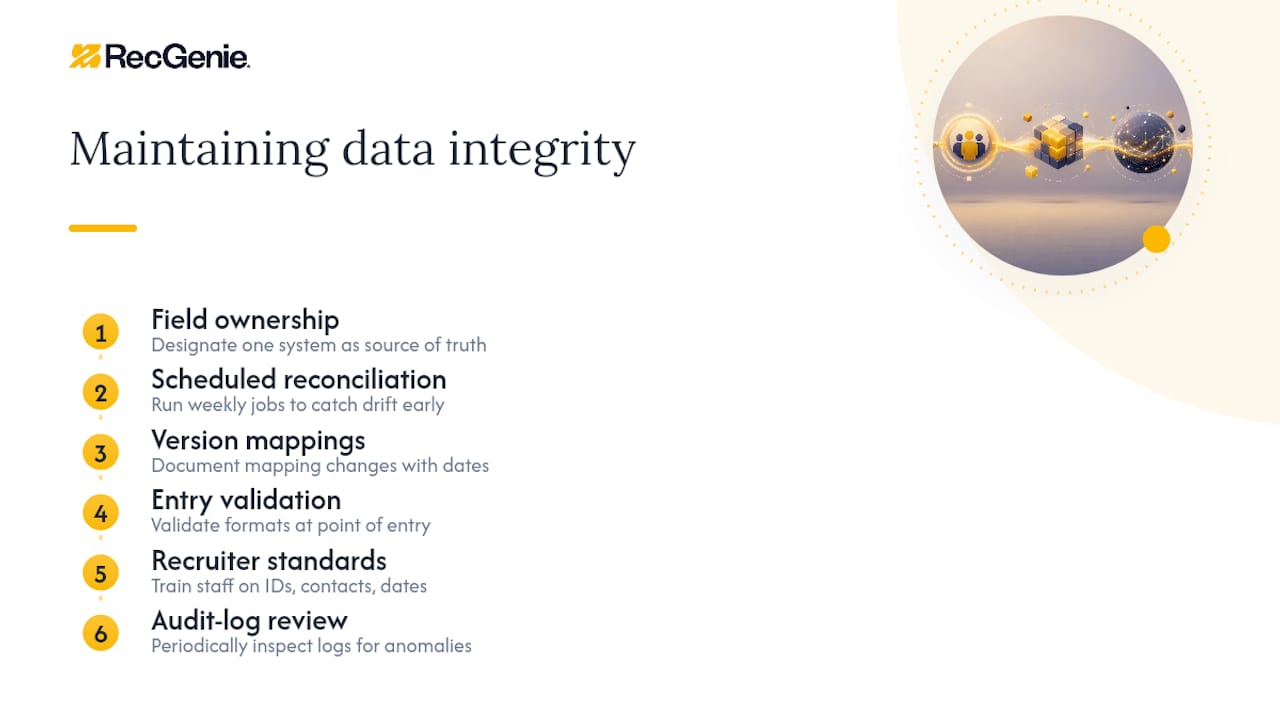
Run reconciliation jobs on a fixed cadence, not just when something looks wrong. Weekly reconciliation catches drift while it is still a small, explainable discrepancy rather than a six-month backlog of mismatched invoices.
Version your field mappings. Vendors change API schemas without much warning, and a field that quietly switches from a string to a number can break downstream calculations silently. Document every mapping change with a date, so when something breaks, you can trace it to the exact update that caused it.
Build validation rules at the point of entry, not just at the point of sync. A pay rate field that only accepts numeric values with two decimal places catches a formatting error before it ever reaches your invoicing system.
Train recruiters on what “clean data” actually means in practice: consistent candidate IDs, complete contact fields, correctly formatted dates. Most data integrity problems are not technical failures, they are humans entering data slightly differently across two systems because nobody defined a standard.
Finally, treat your audit log as a living document, not an archive. Review it periodically for unusual patterns, repeated failed writes, unexpected spikes in manual overrides, rather than only consulting it after something has already gone wrong.
An integration that works cleanly for 20 consultants can buckle at 200, and the failure point is rarely the one you expect. Volume is the obvious constraint, but rate limits on third-party APIs often bite well before your own infrastructure does. A job board or background-check provider that caps requests per minute will queue, then delay, then silently drop records once you scale contractor volume past their expected usage band.
Plan for multi-entity growth early, even if you only operate as one legal entity today. Agencies that expand into new regions or acquire smaller firms often discover their integration was built assuming a single currency, a single tax jurisdiction, or a single approval hierarchy. Retrofitting multi-entity support into a live integration is far more disruptive than designing for it from the start.
Consider how your chosen integration type scales technically. Native connectors scale well because the vendor carries the maintenance burden, but you inherit their rate limits and feature roadmap. Custom API integrations scale on your terms, but every new system you add multiplies the maintenance surface your own team has to own.
Data volume growth also changes your monitoring needs. A reconciliation job that runs comfortably overnight against ten thousand records may need restructuring against a million. Build monitoring thresholds that flex with volume, not fixed numbers that made sense at your current headcount but will look absurd in three years.
The agencies that scale integrations smoothly are usually the ones that treated the first build as a foundation, not a finished product, and revisited their architecture choices at each growth milestone rather than only when something broke.
Generic software procurement checklists miss the details that actually matter for recruitment integration. A few criteria deserve specific scrutiny before you sign anything.
Ask for the vendor’s actual connector list, not a marketing page claiming “integrates with everything.” A genuine list of named, supported connectors tells you far more than a vague promise, and it reveals whether your specific back-office or job board tool is properly supported or would need a custom build.
Check API documentation quality directly, ideally by having a technical person review it before purchase. Sparse or outdated documentation is a strong predictor of support headaches later, regardless of how confident the sales team sounds.
Ask how the vendor handles schema changes. A vendor that versions its API and gives advance notice of breaking changes is far less risky than one that pushes updates without warning, because the latter turns every vendor release into a potential outage for you.
Request concrete SLA terms for uptime and support response, not general assurances. For a system handling placement data and invoicing, a four-hour response window on a critical fault matters considerably more than a marketing claim about reliability.
Confirm the vendor’s approach to data ownership and export. Ask specifically how you would extract your full dataset if you left, and in what format. Vendors reluctant to answer this clearly are signalling lock-in risk.
Finally, weigh the vendor’s security posture against your own compliance obligations, not against a generic checklist. An agency handling right-to-work documentation has different requirements from one that does not, and the right vendor evaluation reflects your specific regulatory exposure rather than a one-size answer.

Start with a single high-value automation rather than trying to connect everything at once. Placement-to-invoicing is usually the best first target, because the payoff is visible within weeks.
Measure recruiter hours saved and reconciliation error rates from day one, not just “did it work.” Run a dedicated reconciliation job for the first 90 days after any go-live. That window catches almost every edge case a standard test plan misses.
— Jonathan
If your agency is weighing a full ATS/CRM overhaul against something lighter, there is a simpler route for the part of the stack that causes the most billing pain: timesheets and invoicing. This software connects into existing CRM or ATS setups and automates the placement-to-invoice flow directly, without requiring a full platform change. Its password-free approval process removes the login friction that delays sign-off, and its unified timesheet and expense workflow means one approval clears both instead of chasing two separate chains.
Building a bespoke API link between your CRM and back office makes sense if you have in-house engineering capacity and highly specific workflows. For most agencies, a dedicated connector can achieve similar outcomes such as faster invoicing and cleaner audit trails, without the ongoing maintenance burden of custom code. See how it fits your setup by booking a demo or reviewing current pricing.
For deeper detail on architecture trade-offs, see the recruiting agency tech stack guide and the ATS integration strategy guide, both useful for scoping your own migration plan.
Most agencies use a combined ATS/CRM platform rather than two separate tools, with the choice driven by agency size, sector specialism, and whether they need bi-directional sync with back-office systems.
A recruitment CRM manages relationships and pipeline data for candidates and clients, tracking stages, communication history, and placement status, typically alongside or integrated with an applicant tracking system.
There is no single best option; the right choice depends on agency size, sector, and whether you need a unified platform or a connected stack with strong native connectors and reliable back-office integration, such as with Recgenie for timesheets and invoicing.
It works by syncing defined fields, candidate status, placement rates, start dates, between the CRM/ATS and connected systems using native connectors, APIs, or iPaaS tools, with reconciliation jobs catching any records that fail to sync.
Native connectors usually take days, iPaaS automations take days to a few weeks, and custom API or middleware integrations typically run weeks to months depending on data complexity and testing requirements.